Visual Form Builder
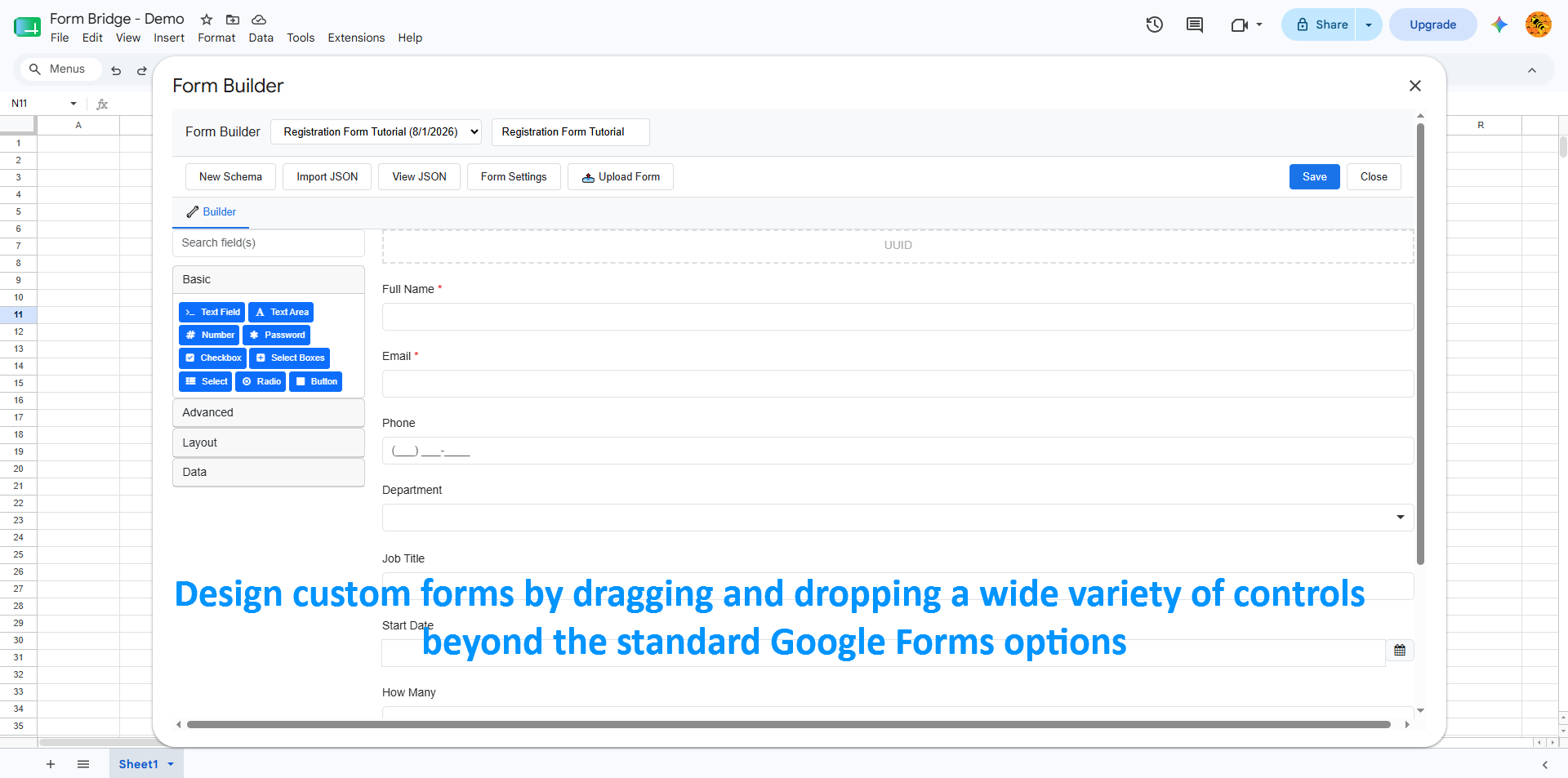
Drag-and-drop FormIO components with live preview. Configure validation, conditional logic, and layout without writing code.
Form Bridge is a Google Sheets add-on that designs forms with FormIO schemas, generates Google Forms from them, and keeps both in sync — with AI to draft your first version in seconds.
From simple contact forms to complex master-detail applications — Form Bridge covers the whole workflow: design, generate, sync, publish.
Drag-and-drop FormIO components with live preview. Configure validation, conditional logic, and layout without writing code.
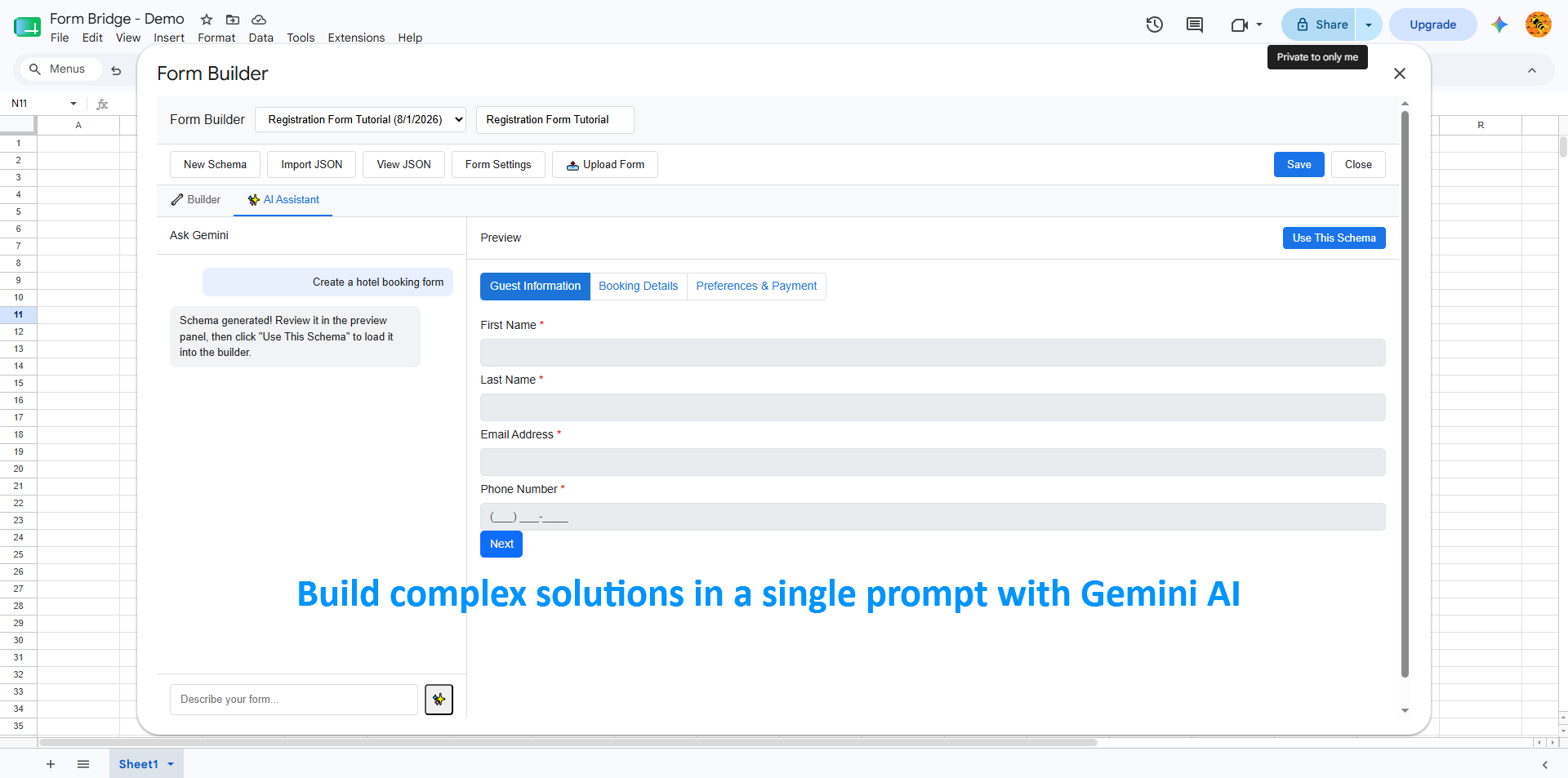
Describe your form in plain English and let Gemini AI generate a complete FormIO schema. Refine through conversation, then deploy instantly.
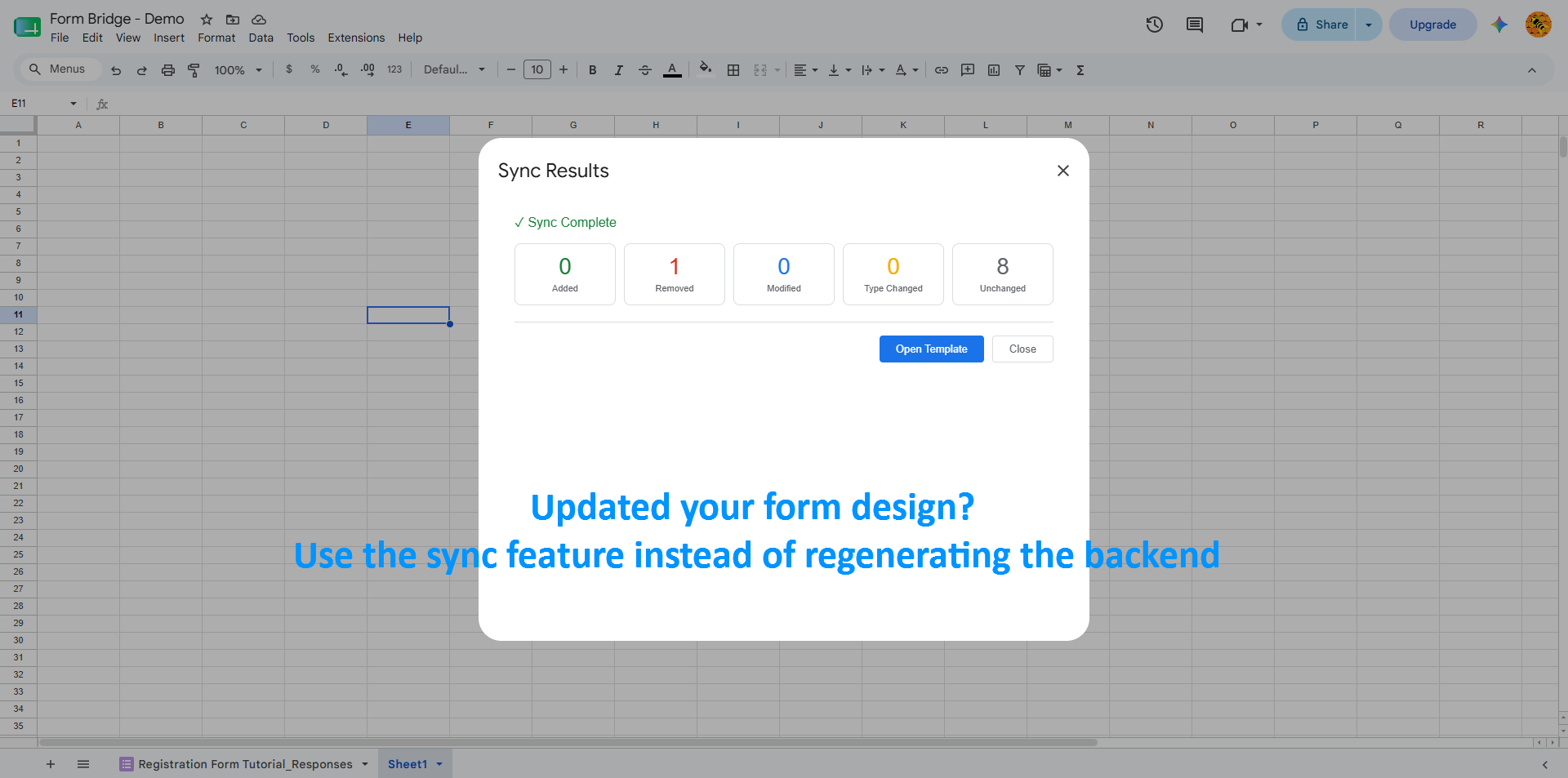
Keep your FormIO schema and Google Form in perfect sync. Apply changes selectively with a visual diff viewer — no more rebuilding forms by hand.
Build complex nested forms with datagrid/editgrid support. Generate linked Google Forms for repeating sections — orders with line items, applications with references.
AES-256 encrypted standalone HTML templates. The decryption key is embedded client-side — no server ever holds or sees your keys.
Apply Bootswatch themes or custom Bootstrap CSS. Your forms look professional and on-brand everywhere they appear.
Watch step-by-step tutorials for common workflows.
Install, build, and publish your first form in minutes
Generate schemas from natural language
Tour the drag-and-drop builder UI
Activate your Premium license key
Start free. Upgrade to Premium for the full toolkit. One-time payment, lifetime license.
Perfect for trying Form Bridge or running simple forms
For professionals who need every feature
Lifetime access • All future updates • No subscription
Design a FormIO schema visually inside Google Sheets, generate a connected Google Form as your free backend, test it, and publish anywhere. Whenever you change the design, sync schema and form with a visual diff — no code, no servers.
Open the visual Form Builder popup inside Google Sheets. Visually lay out, add, and customize your form fields, checkboxes, and options — no raw JSON to write by hand.
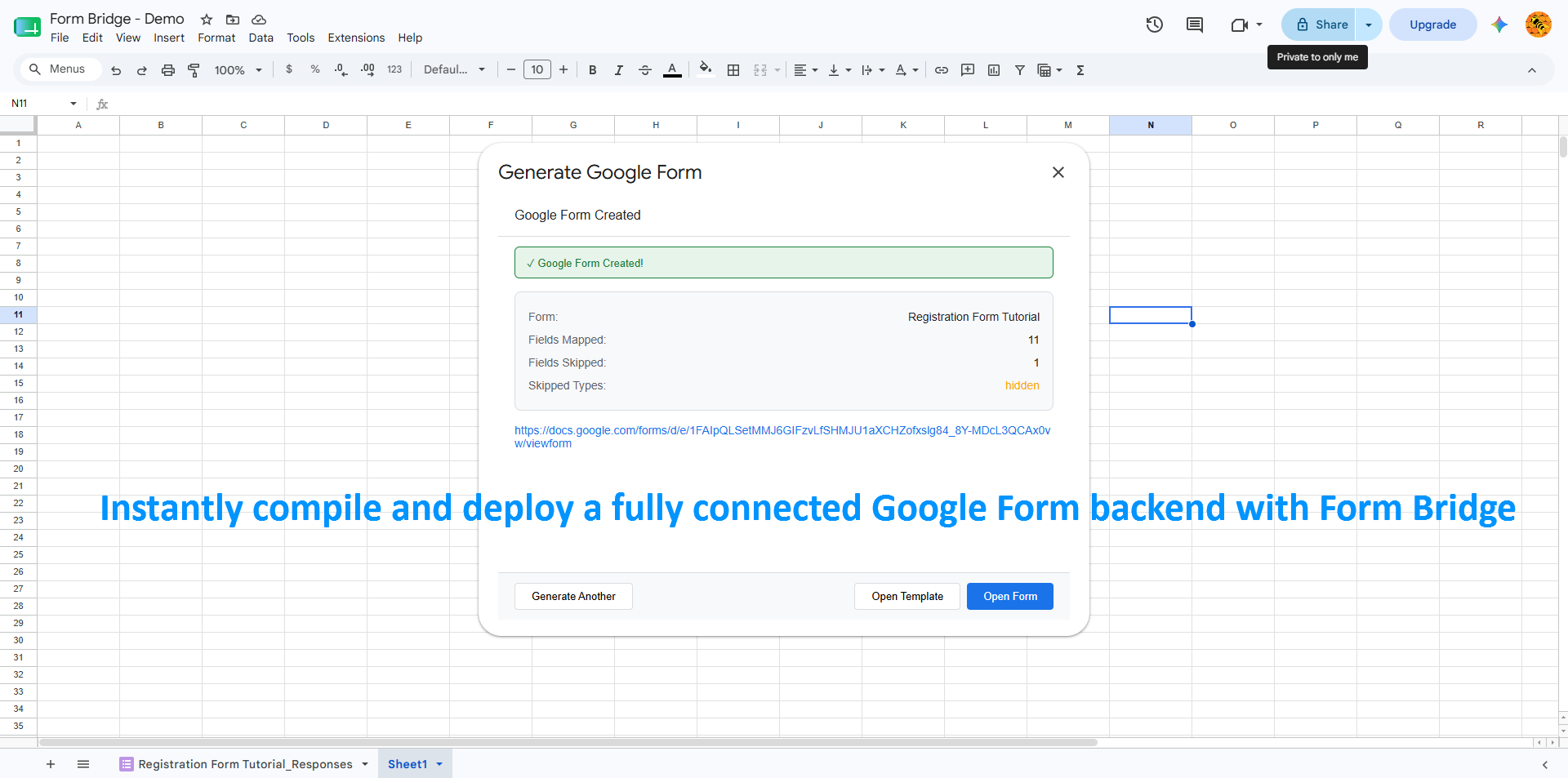
One click generates a Google Form wired to your sheet. Responses land in your spreadsheet automatically — no servers, no code.
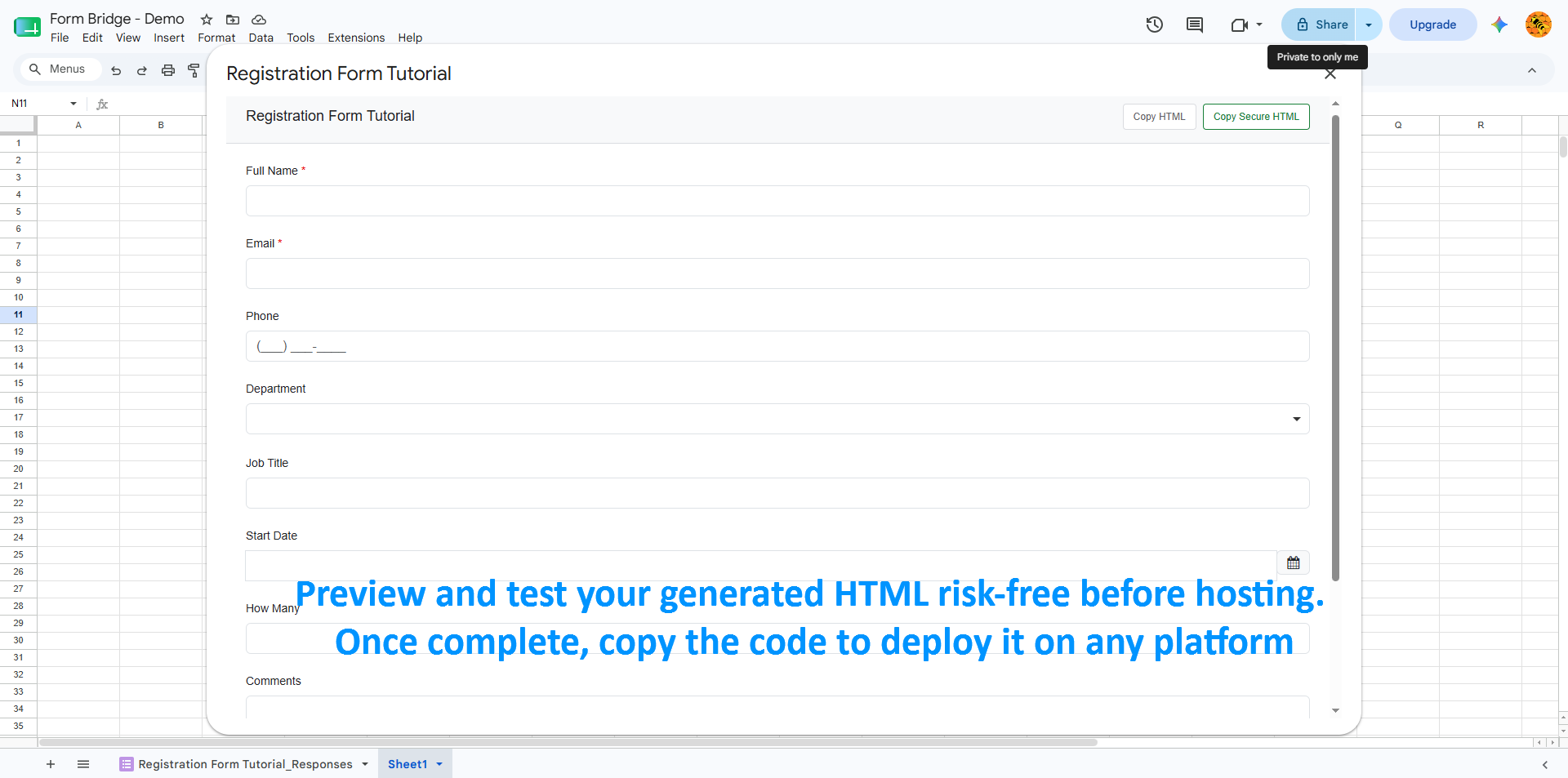
Open the Submission Template to preview your form exactly as respondents will see it, then send a test entry to confirm every answer maps to the right column.
Copy the generated standalone HTML form and paste it on WordPress, Webflow, Shopify, or custom pages. Responses flow straight into your sheet.
Built for the workflows Google Forms alone can't handle.
Multi-page wizard forms with conditional sections, file uploads for documents, and master-detail for emergency contacts.
Order headers with nested line items via datagrid. Auto-linked detail forms for each product with quantity, pricing, and discounts.
Branching logic, rating scales, NPS questions, and anonymous submission templates with encrypted URLs.
I-9, W-4, and regulatory forms with validation rules, signature capture, and audit-ready response tracking.
Install free, upgrade to Premium once, and keep it forever. No subscriptions, no servers, no per-form fees.
AKA Lab ("we," "our," or "us") operates the Form Bridge Google Sheets Editor Add-on (the "Application"). This Privacy Policy explains how we access, process, and protect your data when you install and use our Application.
We only request access to the minimum Google Workspace data strictly necessary to execute the core features you request within Form Bridge.
To manage software licenses and deliver AI-powered capabilities, Form Bridge communicates with the following external web services:
Connects to https://live.dodopayments.com/ and https://test.dodopayments.com/ solely to validate, activate, and check the status of your software license key.
Transmits user-selected text or spreadsheet content to https://generativelanguage.googleapis.com/ to perform AI-driven generation, analysis, or form construction based on explicit prompts.
We do not track IP addresses, browser usage, clickstreams, user behavior, or raw execution logs on external databases. All script executions run within Google's secure infrastructure or transiently in-memory on client devices.
Form Bridge's use and transfer to any other app of information received from Google APIs will adhere to the Google API Services User Data Policy, including the Limited Use requirements.
generativelanguage.googleapis.com) is strictly processed in real-time to generate your requested output. Your Google Workspace content and personal data are NEVER used to train, retrain, or improve machine learning models or artificial intelligence algorithms.You remain in complete control of your data at all times:
Our Application is not intended for use by anyone under the age of 13. We do not knowingly collect personal information from children under 13.
We may update this Privacy Policy periodically to reflect updates to our Application or legal requirements. We will notify users of any significant changes by updating the "Last Updated" date at the top of this policy and publishing the updated document on this page.
For questions, concerns, or privacy requests regarding this policy or your data, please contact:
Welcome to Form Bridge! These Terms of Service ("Terms") govern your access to and use of the Form Bridge Google Sheets Editor Add-on (the "Application" or "Service"), operated by AKA Lab ("we," "our," or "us").
By installing, authorizing, or using the Application, you agree to be bound by these Terms. If you do not agree to these Terms, do not install or use the Application.
Form Bridge is a Google Sheets extension designed to enhance productivity, process spreadsheet data, generate Google Forms, and interact with Artificial Intelligence features. The Service is provided as a Google Workspace Editor Add-on operating within Google Workspace infrastructure.
All paid software licenses are processed and managed through our third-party payment partner, Dodo Payments (https://dodopayments.com).
By purchasing a license, you agree to Dodo Payments' merchant terms, pricing schedules, and billing policies. The Application connects to https://live.dodopayments.com/ solely to validate, activate, and check your active license status.
License billing, cancellations, and refund eligibility are governed by our refund policy displayed during checkout via Dodo Payments. We reserve the right to revoke license access if payments are disputed, charged back, or fraudulently initiated.
You agree to use Form Bridge strictly in compliance with all applicable local, national, and international laws, as well as the Google Workspace Marketplace Terms of Service.
generativelanguage.googleapis.com) to process user prompts, generate spreadsheet transformations, and build Google Forms. Generative AI outputs are probabilistic; you are solely responsible for reviewing and verifying AI-generated forms or spreadsheet data.THE APPLICATION IS PROVIDED ON AN "AS IS" AND "AS AVAILABLE" BASIS WITHOUT WARRANTIES OF ANY KIND, WHETHER EXPRESS, IMPLIED, OR STATUTORY. TO THE MAXIMUM EXTENT PERMITTED BY APPLICABLE LAW, WE EXPRESSLY DISCLAIM ALL WARRANTIES, INCLUDING BUT NOT LIMITED TO IMPLIED WARRANTIES OF MERCHANTABILITY, FITNESS FOR A PARTICULAR PURPOSE, AND NON-INFRINGEMENT.
TO THE MAXIMUM EXTENT PERMITTED BY LAW, IN NO EVENT SHALL AKA Lab, ITS DIRECTORS, EMPLOYEES, OR PARTNERS BE LIABLE FOR ANY INDIRECT, INCIDENTAL, CONSEQUENTIAL, SPECIAL, OR PUNITIVE DAMAGES (INCLUDING LOSS OF DATA, REVENUE, PROFIT, OR BUSINESS INTERRUPTION) ARISING OUT OF OR IN CONNECTION WITH YOUR USE OF OR INABILITY TO USE THE APPLICATION.
OUR AGGREGATE LIABILITY FOR ALL CLAIMS RELATING TO THE SERVICE SHALL NOT EXCEED THE TOTAL AMOUNT YOU HAVE PAID TO AKA LAB FOR THE APPLICATION.
By You: You may stop using the Application at any time by uninstalling it from Google Sheets and revoking authorization in your Google Account settings.
By Us: We reserve the right to suspend or terminate your access to the Application or revoke active licenses without prior notice if you breach these Terms or engage in fraudulent activity.
We reserve the right to modify these Terms at any time. Updated versions will be published on this page with a revised "Last Updated" date. Continued use of the Application after changes are posted constitutes your acceptance of the revised Terms.
These Terms shall be governed by and construed in accordance with the laws applicable to AKA Lab, without regard to its conflict of law principles.
If you have questions, concerns, or support inquiries regarding these Terms of Service, please contact: